About a year ago, we demonstrated how to distribute Hugging Face transformer training across a cluster of third-generation Intel Xeon Scalable CPUs (Ice Lake). Now, Intel's fourth-generation Xeon CPUs, code-named Sapphire Rapids, introduce new instructions that speed up common deep learning operations.
This article explains how to accelerate PyTorch training using a cluster of Sapphire Rapids servers on AWS. We leverage the Intel oneAPI Collective Communications Library (CCL) for distributed training and the Intel Extension for PyTorch (IPEX) to automatically utilize the new CPU instructions. Both libraries are integrated with Hugging Face transformers, so you can run sample scripts without code changes.
Why Train on CPUs?
Training deep learning models on Intel Xeon CPUs can be cost-effective, especially for distributed training and fine-tuning on small to medium datasets. Xeon CPUs support AVX-512 and Hyper-Threading for improved parallelism. They are generally more affordable and available than GPUs, and can be repurposed for other tasks. Cloud users can further reduce costs with spot instances, which can offer savings up to 90%.
Advanced Matrix Extensions (AMX)
Sapphire Rapids introduces Intel AMX to accelerate deep learning workloads. Installing the latest IPEX version enables AMX without any code changes. AMX accelerates matrix multiplication, a core operation in training, and supports BF16 and INT8 values for different scenarios. It uses 2D tile registers, which require kernel support (Linux v5.16 or newer).
Building a Sapphire Rapids Cluster
Currently, the easiest way to access Sapphire Rapids servers is via Amazon EC2 R7iz instances (still in preview). We use bare metal instances (r7iz.metal-16xl, 64 vCPU, 512GB RAM) because virtual servers don't support AMX yet.
To automate setup, we configure a master node, create an Amazon Machine Image (AMI) from it, and use that AMI to launch additional nodes. Networking requirements include:
- Open port 22 for SSH on all instances.
- Password-less SSH from the master to all nodes.
- Allow all internal traffic using a security group that permits all traffic from instances within the same group.
Setting Up the Master Node
Launch an r7iz.metal-16xl instance with Ubuntu 20.04 AMI (ami-07cd3e6c4915b2d18) and the custom security group. This AMI includes a patched kernel v5.15.0 with AMX support. After SSHing, verify AMX support with lscpu; you should see amx_bf16, amx_tile, and amx_int8 in the flags.
Then install dependencies:
sudo apt-get update
sudo apt install libgoogle-perftools-dev -y
sudo apt-get install python3-pip -y
pip install pip --upgrade
export PATH=/home/ubuntu/.local/bin:$PATH
pip install virtualenv
virtualenv cluster_env
source cluster_env/bin/activate
Install PyTorch, IPEX, and oneCCL bindings:
pip install torch torchvision torchaudio --index-url https://download.pytorch.org/whl/cpu
pip install intel-extension-for-pytorch
pip install oneccl_bind_pt -f https://developer.intel.com/ipex-whl-stable
Setting Up the Cluster
After configuring the master, create an AMI from it. Launch additional nodes using this AMI and the same security group. Ensure password-less SSH from the master to all nodes.
Launching a Distributed Training Job
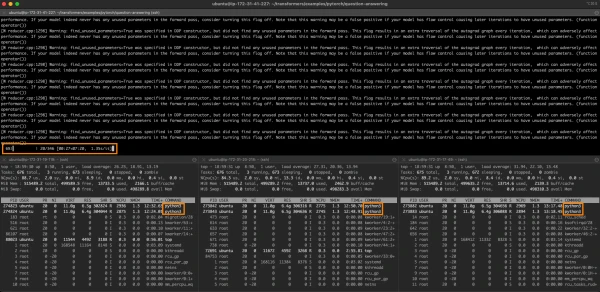
With the cluster ready, you can run distributed training using Hugging Face transformers' example scripts. The integration with IPEX and oneCCL handles the distribution automatically. For example, to fine-tune a BERT model:
python -m torch.distributed.launch --nproc_per_node=64 --nnodes=4 --node_rank=0 --master_addr=<master-ip> --master_port=29500 run_mlm.py \
  --model_name_or_path bert-base-uncased \
  --dataset_name wikitext --dataset_config_name wikitext-2-raw-v1 \
  --do_train --output_dir ./output --overwrite_output_dir \
  --per_device_train_batch_size 16 --max_steps 1000 \
  --fp16 --ipex
This command uses 64 processes per node (one per vCPU), across 4 nodes. The --ipex flag enables IPEX optimizations.
Conclusion
Intel Sapphire Rapids CPUs, with AMX instructions, offer a viable alternative to GPUs for distributed PyTorch training. By using AWS R7iz instances, oneCCL, and IPEX, you can accelerate transformer models without code changes. In a follow-up article, we will explore inference performance on Sapphire Rapids.