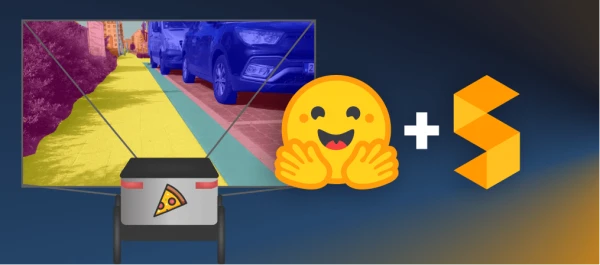
This guide walks through fine-tuning SegFormer, a state-of-the-art semantic segmentation model, on a custom dataset. The goal is to build a model for a pizza delivery robot that can navigate sidewalks and recognize obstacles.
Semantic segmentation assigns a class label to every pixel in an image, enabling precise understanding of scenes. It's crucial for applications like medical imaging and autonomous driving. For a sidewalk robot, knowing exactly where the sidewalk is — not just whether it exists — is essential.
SegFormer, introduced in 2021, uses a hierarchical Transformer encoder that doesn't require positional encodings, plus a simple MLP decoder. It achieves top performance on several benchmarks.
Step 1: Create or Choose a Dataset
You can use an existing dataset from the Hugging Face Hub, such as ADE20k, or create your own. For the sidewalk robot, we built a custom dataset called segments/sidewalk-semantic, available on the Hub. It contains images captured from a sidewalk perspective, avoiding the domain mismatch that would occur with car-captured datasets like CityScapes.
Step 2: Load and Prepare the Dataset
Load the dataset with datasets.load_dataset, shuffle it, and split into train and test sets. Extract label mappings from the dataset's id2label.json file to configure the model.
Use SegFormerImageProcessor to transform images on-the-fly during training, and apply data augmentations like ColorJitter to improve robustness.
from datasets import load_dataset
from torchvision.transforms import ColorJitter
from transformers import SegformerImageProcessor

processor = SegformerImageProcessor()
jitter = ColorJitter(brightness=0.25, contrast=0.25, saturation=0.25, hue=0.1)

def train_transforms(example_batch):
    images = [jitter(x) for x in example_batch["pixel_values"]]
    labels = [x for x in example_batch["label"]]
    inputs = processor(images, labels)
    return inputs

train_ds.set_transform(train_transforms)
Step 3: Fine-Tune SegFormer
Load a pre-trained SegFormer model with the correct number of labels, then set up a Hugging Face Trainer with training arguments. Push the model and dataset to the Hub for sharing.
from transformers import SegformerForSemanticSegmentation, TrainingArguments, Trainer

model = SegformerForSemanticSegmentation.from_pretrained(
    "nvidia/mit-b0",
    num_labels=num_labels,
    id2label=id2label,
    label2id=label2id
)

training_args = TrainingArguments(
    output_dir="./segformer-b0-sidewalk",
    learning_rate=6e-5,
    num_train_epochs=50,
    per_device_train_batch_size=2,
    per_device_eval_batch_size=2,
    save_total_limit=3,
    evaluation_strategy="steps",
    save_strategy="steps",
    save_steps=20,
    eval_steps=20,
    logging_steps=1,
    eval_accumulation_steps=5,
    load_best_model_at_end=True,
    push_to_hub=True
)

trainer = Trainer(
    model=model,
    args=training_args,
    train_dataset=train_ds,
    eval_dataset=test_ds,
    compute_metrics=compute_metrics
)

trainer.train()
Step 4: Inference
After fine-tuning, load the model from the Hub and run inference on new images. The model outputs segmentation maps that can be overlaid on the original image.
from transformers import SegformerImageProcessor, SegformerForSemanticSegmentation

processor = SegformerImageProcessor.from_pretrained("your-username/segformer-b0-sidewalk")
model = SegformerForSemanticSegmentation.from_pretrained("your-username/segformer-b0-sidewalk")

# Process an image
inputs = processor(images=image, return_tensors="pt")
outputs = model(**inputs)
logits = outputs.logits.cpu()
# Upsample to original size
upsampled_logits = nn.functional.interpolate(
    logits,
    size=image.size[::-1],
    mode="bilinear",
    align_corners=False
)
pred_seg = upsampled_logits.argmax(dim=1)[0]
Conclusion
Fine-tuning SegFormer on a custom dataset is straightforward with the Hugging Face ecosystem. The sidewalk model achieves strong performance for robot navigation, and the same approach can be applied to any semantic segmentation task.