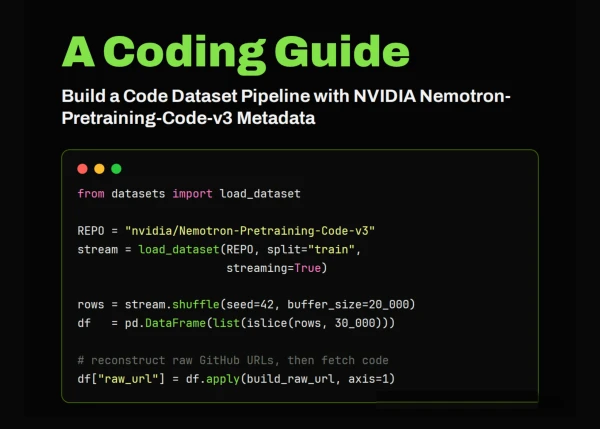
In this tutorial, we work with NVIDIA’s Nemotron-Pretraining-Code-v3 dataset as a large-scale metadata index for code pretraining research. Instead of downloading the full multi-gigabyte dataset, we stream it, inspect its schema, and build a manageable sample for analysis. We then explore the dataset by studying languages, file extensions, repository frequency, and directory depth, which helps us understand how the index is structured. After that, we reconstruct the raw GitHub URLs from the metadata, attempt to fetch the actual source files, and estimate the token scale of the fetched code. By the end of the workflow, we create a reusable filtered sample and save processed outputs for further experimentation.
Streaming the NVIDIA Nemotron-Pretraining-Code-v3 Dataset and Inspecting Its Schema
!pip -q install -U "datasets>=2.19" huggingface_hub tiktoken pyarrow 2>/dev/null
import os, io, time, itertools, collections, textwrap, math
import pandas as pd
import requests
import matplotlib.pyplot as plt
from datasets import load_dataset, get_dataset_config_names

REPO_ID = "nvidia/Nemotron-Pretraining-Code-v3"
pd.set_option("display.max_colwidth", 80)
configs = get_dataset_config_names(REPO_ID)
CONFIG = configs[0]
print(f"Configs available : {configs}")
print(f"Using config      : {CONFIG}")

stream = load_dataset(REPO_ID, CONFIG, split="train", streaming=True)
print("\nFeatures / schema:")
print(stream.features)
print("\nFirst raw record:")
print(next(iter(stream)))
We set up the Colab environment by installing the required libraries and importing the tools needed for dataset streaming, analysis, and visualization. We define the NVIDIA Nemotron-Pretraining-Code-v3 dataset ID, discover the available dataset configuration, and load the training split in streaming mode. We also inspect the dataset schema and print the first record to understand the structure before conducting deeper analysis.
Building a Shuffled Sample and Analyzing Code Metadata Features
N_SAMPLE = 30_000
shuffled = stream.shuffle(seed=42, buffer_size=20_000)
t0 = time.time()
rows = list(itertools.islice(shuffled, N_SAMPLE))
df = pd.DataFrame(rows)
print(f"\nPulled {len(df):,} rows in {time.time()-t0:,.1f}s")
print(df.head(10))
print("\nColumns:", list(df.columns), "| memory:",
     f"{df.memory_usage(deep=True).sum()/1e6:,.1f} MB")

df["ext"]   = df["rel_path"].str.extract(r"\.([A-Za-z0-9_]+)$")[0].str.lower()
df["depth"] = df["rel_path"].str.count("/")
df["fname"] = df["rel_path"].str.rsplit("/", n=1).str[-1]

print("\n--- Top 15 languages (sample) ---")
lang_counts = df["language"].value_counts()
print(lang_counts.head(15))
print("\n--- Top 15 file extensions (sample) ---")
print(df["ext"].value_counts().head(15))
print("\n--- Most frequent repositories (sample) ---")
print(df["repo"].value_counts().head(10))
print("\n--- Path-depth summary ---")
print(df["depth"].describe())
print(f"\nUnique repos in sample : {df['repo'].nunique():,}")
print(f"Unique languages       : {df['language'].nunique():,}")
We create a shuffled sample from the streamed dataset so that we do not rely only on the first clustered rows. We convert the sampled records into a Pandas DataFrame and derive useful features such as file extension, path depth, and file name. We then examine the most common languages, file extensions, repositories, and path-depth statistics to better understand the sampled metadata.
Visualizing Languages, File Extensions, Directory Depth, and Repository Frequency
fig, ax = plt.subplots(2, 2, figsize=(14, 9))

lang_counts.head(12).iloc[::-1].plot.barh(ax=ax[0, 0], color="#76b900")
ax[0, 0].set_title("Top 12 languages (sample)"); ax[0, 0].set_xlabel("files")

df["ext"].value_counts().head(12).iloc[::-1].plot.barh(ax=ax[0, 1], color="#5b8def")
ax[0, 1].set_title("Top 12 file extensions (sample)"); ax[0, 1].set_xlabel("files")

df["depth"].clip(upper=12).plot.hist(bins=range(0, 14), ax=ax[1, 0],
                                    color="#f4a261", edgecolor="white")
ax[1, 0].set_title("Directory nesting depth"); ax[1, 0].set_xlabel("'/' count in path")

(df["repo"].value_counts().head(10).iloc[::-1]
  .plot.barh(ax=ax[1, 1], color="#9b5de5"))
ax[1, 1].set_title("Most common repos (sample)"); ax[1, 1].set_xlabel("files")

plt.tight_layout(); plt.show()
We visualize the main patterns found in the sampled metadata using multiple plots. We compare the top languages, top file extensions, directory nesting depth, and most frequent repositories in the sample. We use these charts to make the dataset easier to interpret and to quickly identify dominant structures inside the metadata index.
Reconstructing Raw GitHub URLs and Fetching Real Source Files
def raw_url(repo: str, commit_id: str, rel_path: str) -> str:
   from urllib.parse import quote
   return (f"https://raw.githubusercontent.com/{repo}/{commit_id}/"
           f"{quote(rel_path)}")

df["raw_url"] = df.apply(lambda r: raw_url(r.repo, r.commit_id, r.rel_path), axis=1)
print("\nExample reconstructed URLs:")
for u in df["raw_url"].head(5):
   print(" ", u)

def fetch_code(url: str, max_bytes: int = 200_000, timeout: int = 10):
   try:
       resp = requests.get(url, timeout=timeout)
       if resp.status_code == 200 and len(resp.content) <= max_bytes:
           return resp.text
       return None
   except requests.RequestException:
       return None

print("\n--- Attempting to fetch a few real files ---")
fetched, attempts = [], 0
for _, r in df.sample(frac=1, random_state=1).iterrows():
   if len(fetched) >= 5:
       break
   attempts += 1
   code = fetch_code(r["raw_url"])
   status = "OK " if code else "MISS"
   print(f"[{status}] {r['language']:<12} {r['repo']}/{r['rel_path']}")
   if code:
       fetched.append({**r.to_dict(), "code": code, "n_chars": len(code)})

print(f"\nFetched {len(fetched)} files in {attempts} attempts "
     f"(misses are normal — repos get deleted/renamed).")
if fetched:
   ex = fetched[0]
   print(f"\n----- PREVIEW: {ex['repo']}/{ex['rel_path']} ({ex['language']}) -----")
   print(textwrap.shorten(ex["code"].replace("\n", "  "), width=600,
                          placeholder=" ...[truncated]"))
We reconstruct raw GitHub URLs from the metadata: the repository name, commit ID, and relative file path. We then attempt to fetch a few real source files from GitHub, gracefully handling missing, deleted, private, or oversized files. We preview one successfully fetched file to see how the metadata index connects back to the actual code content.
Filtering Python Files, Estimating Token Scale, and Saving Outputs
TARGET_LANG = "Python"
py_index = df[df["language"] == TARGET_LANG].copy()
print(f"\n{TARGET_LANG} files in sample: {len(py_index):,}")

try:
   import tiktoken
   enc = tiktoken.get_encoding("cl100k_base")
   tok = lambda s: len(enc.encode(s, disallowed_special=()))
except Exception:
   tok = lambda s: max(1, len(s) // 4)

if fetched:
   toks = [tok(f["code"]) for f in fetched]
   print(...